
14th Oct 2026
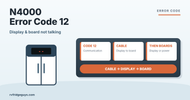
Norcold N4000 Error Code 12 (Display and Power Board Not Communicating)
CODE 12
Norcold N4000 Error Code 12 (Display and Power Board Not Communicating)
The display board and power board have lost contact. It can be low 12V, a tripped resettable fuse, a loose plug, the cable between the boards, or one of the boards.
Before you start
- Where things are. The power board, fuses, burner and heaters are behind the lower outside vent on the back of the fridge. The control panel is on the front, at the top.
- You’ll need a multimeter set to DC and AC volts.
Fits these models
The Norcold N4000 series, built by Thetford. 3-way (12V DC, 120V AC and propane).
How to read this code
LED panel: press the ‹, □ and › buttons together until the temperature bars change. The lit bars spell the code in binary. This pattern is code 12.
LCD panel: the code number shows next to the wrench symbol.
No 12 volts, no code: the controls need 12V DC to show any error. With 12V, the blue power light is on.
STEP 1
Measure the 12V input
Measure DC volts at the fridge’s low-current 12V input.
Is it 10 to 15 volts?
Fix the 12V supply
The issue isn’t the fridge.
STEP 2
Reset the resettable fuse
Disconnect 12V and wait 5 minutes so the resettable fuse cools down. Reconnect 12V.
Is code 12 still there?
Solved
If it comes back again, replace the power board.
STEP 3
Check the plug pins
Check the pins in the wiring loom plug.
Are any missing, bent or loose?
Fix the pins
Repair them if possible.
STEP 4
Check the connectors
Check the connectors on the display board and the power board.
Are they OK?
Restore the connections
Reseat and secure them.
STEP 5
Measure at the power board
On the 4-wire communication connector at the power board, measure DC volts between white (+) and green (−).
Is there about 5 volts?
Replace the power board
Replace the power board. Match the part number on your old board; see the N4150, N4141 or N4104 parts or ask a tech.
STEP 6
Measure at the display board
Measure DC volts between white and green at the display board.
Is there about 5 volts?
Replace the cable
The cable between the power board and display board is bad.
STEP 7
Check the signal
At the display board, measure AC volts between yellow (+) and green (−).
Is there a pulse going on and off between 0.5 and 0.7 VAC?
Replace the power board
Replace the power board. Match the part number on your old board; see the N4150, N4141 or N4104 parts or ask a tech.
Ask a tech
Power and signal are reaching the display. Thetford says to contact them at this point. ask a tech and we’ll help.
Still stuck? ask a tech with your model, serial number and the code you’re seeing. We’ll confirm the part before you order.
Covers the Norcold N4104, N4141 and N4150. Based on Thetford’s N4000 troubleshooting guide (Error code 12), with North American voltage and gas pressure values.