
13th Oct 2026
Dometic Americana Interior Light Stays On With the Door Closed: Troubleshooting Flowchart
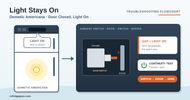
LIGHT STAYS ON
Dometic Americana Interior Light Stays On With the Door Closed
The light inside the fridge stays on after you close the door. That’s more than an annoyance: the bulb puts heat inside the fridge, so it cools less. The cause is usually the low ambient switch, the door not pressing the switch, a bad door switch, or the wiring.
Dometic Americana & Americana Plus · RM2351 through RM2862
Fits these models
Different model? These steps are for the models above, from Dometic’s service manual for them. For any other Dometic fridge, ask a tech before you test or order parts.
Before you start
- How to tell. Open the door slowly and watch the light before the switch moves, or look for a warm spot near the bulb and food that isn’t as cold as it should be.
- How the switch works. The door switch is open (light off) when the door presses it in, and closed (light on) when the door opens.
- Where things are. The door switch is on the cabinet frame where the door closes against it. The low ambient switch, on models that have one, is under the top trim panel with the control panel.
- You’ll need a multimeter set to continuity.
PART A · LOW AMBIENT SWITCH
Is the light on because a switch told it to be?
STEP 1
Check the low ambient switch
Not every unit has one. If yours does, it’s under the top trim panel. When it’s ON, it bypasses the door switch and keeps the light on on purpose. In cold weather the bulb’s small heat keeps the fridge cycling so the freezer stays frozen.
Is the low ambient switch ON?
Turn it off above 50°F
Only use it when it’s below 50°F outside for long periods. Turn it off when it warms up. If the light stays on with the switch OFF, test it: OFF should have no continuity, ON should have continuity. Replace it if it fails.
PART B · DOOR & DOOR SWITCH
Is the door pressing the switch, and is the switch working?
STEP 2
Press the switch by hand
Open the door and push the switch arm in with your finger.
Does the light go off?
STEP 3
Check the door position
Make sure the switch assembly is lined up and not broken. Then check whether the door closes too high or low against the frame.
Is the door out of position?
Adjust the door
Add or remove a thin flat washer on top of the lower or middle hinge pin to raise or lower the door. Or loosen the hinge screws slightly, move the door into position, hold it there, and retighten. A door out of position also leaks cold air.
Realign the switch
Reposition the switch so the door presses it fully, or replace it if the arm is bent or broken.
STEP 4
Test the door switch
Turn the fridge off. Remove the wires from the switch and check it with your meter.
Does it read no continuity when pressed in, and continuity when released?
Replace the door switch
The switch has failed. Replace it and wire the new one to match the wiring diagram on the back of the fridge. For the RM2862, that’s the Door Light Switch 2932665017.
PART C · WIRING
Both switches are good. Follow the wires.
STEP 5
Check the wiring
Compare the wiring to the diagram on the back of the fridge. The interior light and climate control run from J2 on the lower board. Look for wires on the wrong terminals, or a pinched or shorted wire that powers the light around the door switch.
Did you find a wiring problem?
Repair it
Fix the wiring to match the diagram and test the light again.
Ask a tech
The switches and wiring check good. ask a tech with your model and product number.
Still stuck? ask a tech with your model, product number and the readings you got. We’ll confirm the part before you order.
Covers the Dometic Americana and Americana Plus: RM2351, RM2354, RM2451, RM2454, RM2551, RM2554, RM2652, RM2662, RM2663, RM2852 and RM2862. Based on the Dometic RM2xxx service manual, Diagnostic Flow Chart, Symptom 10: Interior light on when door is closed.