

23rd Oct 2026
Furrion Arctic 16, Arctic 20 (19.6 cu ft) and Everchill 12V Refrigerator Troubleshooting
TROUBLESHOOTING · 12V
Furrion Arctic 16, Arctic 20 (19.6 cu ft) and Everchill 12V Refrigerator Troubleshooting
These models don’t have flash codes. Here’s what the display is telling you, the official hard reset, and fixes for the common problems.
Start here
- Display shows “- -”? It’s usually Low Power mode or a compartment switched off, not a fault.
- Not cooling at all? Do Lippert’s hard reset (disconnect the batteries, not just the disconnect switch), then give it 24 hours.
- Furrion and Everchill manuals list no error codes for these models. The Arctic 8 and 10 are different: see the Arctic 8/10 guide.
Covers these models
Furrion calls the 19.6 cu ft French-door model FCR20DCAFA; many dealers (and our parts pages) call it the Arctic 20. Everchill fridges come in both 12V and 110V versions, so check the label: these steps are for the 12V models. If your Furrion model number has “AC” where this list has “DC,” it isn’t the 12V version; ask a tech.
What the display is telling you
| You see | Model | What it means / what to do |
|---|---|---|
| “- -” on both displays | Arctic 16 | Low Power mode (lights, compressor and defrost off). Hold FUNCTION 5 seconds to switch it back. |
| “- -” on both displays | 19.6 cu ft | Low Power mode. Hold MODE and LOCK together 5 seconds. |
| “- -” on the fridge display only | 19.6 cu ft | Fridge compartment turned off. Hold FRIDGE 5 seconds. |
| “- -” on both displays | Everchill BCD-455 | Unit is off. Hold ON/OFF 3 seconds. |
| “——” after setting 07 | Everchill BCD-455 | Fridge compartment turned off. Press FRIDGE to pick a setting. |
| Lock icon, buttons do nothing | Arctic 16 / 19.6 | Control lock. Hold LOCK/UNLOCK 3 seconds (Arctic 16). |
| Beeping | All | A door has been open more than 1 minute. |
| Screen goes dark | Arctic 16 | Normal: the display turns off 20 seconds after start-up to save power. |
| Fridge at 43°F, freezer at 5°F and won’t go colder | Arctic 16 / 19.6 | Vacation (off-grid) mode is on, or you’re at the factory defaults. |
From the Furrion FCR16DCASA and FCR20DCAFA manuals and the Everchill BCD-455WTE manual.
Not cooling or won’t run: step by step
STEP 1
Check the mode settings
Rule out Low Power mode, a compartment switched off, and Vacation mode using the table above. Super Freezer (24 hours) and Super Fridge (150 minutes) end on their own.
Settings normal, display on?
STEP 2
Check the 12V supply
Measure DC volts at the fridge, not at the battery. The 19.6 cu ft runs on 10–14.6 V and the Everchill BCD-455 on 9–17 V. Each needs its own circuit (20–40 A on the Arctic 16 and 19.6), fused within 18 in. of the battery. Check that fuse or breaker. Voltage much lower at the fridge than at the battery means a wiring problem. Furrion’s manual lists no fuse to change at the fridge itself.
STEP 3
Do the Lippert hard reset (QR-182)
1) Disconnect shore power. 2) Disconnect all battery negatives, then all positives. A battery disconnect switch isn’t enough: the fridge may be wired straight to the battery. 3) Disconnect solar if you have it. 4) Make sure the lights and display are dead. 5) Wait 5–10 minutes. 6) Reconnect.
STEP 4
Give it 24 hours
Furrion’s own check is to run the fridge for 24 hours and see whether it reaches temperature. Use a thermometer in each compartment rather than trusting the display.
Cold after 24 hours?
Fixed
Furrion says units left on in storage can overwork and lock out. Shut it down properly before storage (below) so it doesn’t happen again.
Is the compressor running?
Feel for vibration at the compressor. Furrion’s bulletin uses “vibration detected, more than 4 amps measured” as its check. Not running after a reset with good voltage points to the compressor driver or control board. Furrion’s bulletin says boards get replaced when a hard reset doesn’t fix it.
Common problems and fixes
| Problem | Likely cause (per Furrion / Everchill) |
|---|---|
| No display | Unit off, battery flat, blown circuit fuse or broken 12V wiring |
| Compressor not running | Defrost cycle (normal) or low or weak 12V supply |
| Runs a lot | High temperature around the fridge, a big load of warm food, frequent door openings, poor clearance |
| Frost in one compartment | Air outlets blocked by food |
| Thick frost | Turn off, open doors, let it dry completely before restarting |
| Door won’t close or seal | Something inside in the way, fridge not level, dirty gasket or basket out of place |
| Lights out | LED failed, or lights shut off after a door was left open too long |
| Hot compressor housing or warm sides | Normal. Furrion says the compressor housing can exceed 176°F. |
Shutting down for storage
Furrion’s bulletin TB-220919 says units left running in storage can overwork in extreme heat or cold and lock out, and heat can damage the electronics. Furrion doesn’t consider the battery disconnect switch enough to make sure the fridge is off.
- Arctic 16: hold FUNCTION 5 seconds until dashes show.
- 19.6 cu ft: turn the unit off from the panel (Low Power is MODE + LOCK for 5 seconds).
- Everchill BCD-455: hold ON/OFF 3 seconds.
- Then: prop the doors open. If the lights are still on after 3 minutes, disconnect the battery.
Everchill “codes” you might see online
Owners report a hidden diagnostic screen on some Everchill units, but Lippert hasn’t published what those codes mean, and we won’t guess. If your Everchill shows letters or numbers that aren’t in the table above, call Lippert at 432-547-7378 (432-LIPPERT) or ask a tech with the model number and what the display shows.
Parts for this repair
 Furrion Control Board Kit C-FCR16DCASA-060 (Arctic 16)View part →
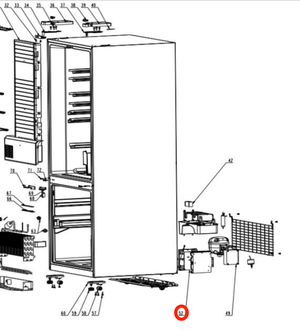 Furrion Circuit Board 2022451391 (Everchill 17)View part →
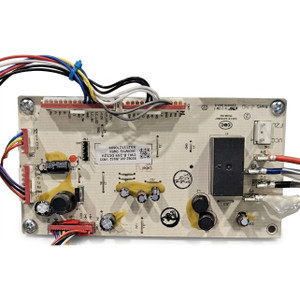 Furrion Everchill Circuit Board 2022455281 (Everchill 11)View part →
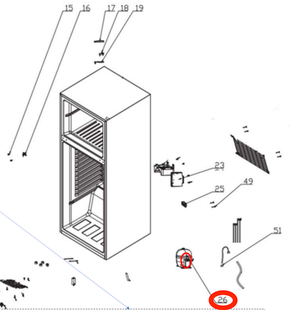 Furrion Compressor Board 2022451396 (select Everchill 11)View part →
 Furrion Compressor Board 2022455251 (select Everchill 11)View part →
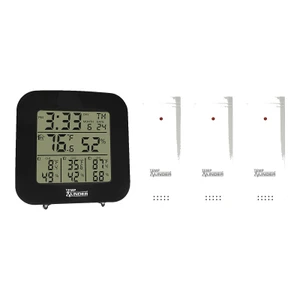 Minder TempMinder Wireless Fridge & Freezer ThermometerView part →
Shop by category: Arctic 16 parts, Arctic 20 parts, Everchill 11 parts, Everchill 17 parts. Furrion lists separate boards for each model; check your model number before ordering.
FAQ
Does the Furrion Arctic 16 have error codes?
No error codes are listed in Furrion’s FCR16DCASA manual. The display shows modes instead: “- -” means Low Power mode, and a lock icon means the controls are locked.
How do I reset a Furrion 12V refrigerator?
Lippert’s hard reset: disconnect shore power, all battery negatives then positives, and solar; wait 5–10 minutes until everything is dead; then reconnect. The battery disconnect switch alone isn’t enough.
Why is my Furrion fridge showing dashes?
Low Power mode, or on the 19.6 cu ft, the fridge compartment has been switched off. See the display table above.
Is Everchill 12V or 110V?
Both. Everchill makes 12V DC models (like the BCD-455WTE and BCD280WEV8) and 110V models (like the SRM-418 and BC series). Check the label inside the fridge.
Still stuck? Ask a tech with your model, serial number and what you’ve found. We’ll confirm the part before you order.
From the Furrion FCR16DCASA and FCR20DCAFA manuals, Everchill BCD-455WTE manual, Lippert QR-182 hard reset procedure and Furrion technical bulletin TB-220919. Lippert customer service: 432-547-7378.