
15th Oct 2026
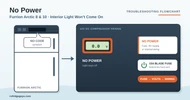
Furrion Arctic 8 and 10 No Power: Interior Light Won’t Come On
NO POWER
Furrion Arctic 8 and 10 No Power: Interior Light Won’t Come On
Nothing happens: the light doesn’t come on when you open the door and the fridge isn’t cooling. Work from the fuse, to the RV’s supply, to the wiring inside the fridge.
Before you start
- Safety first. Disconnect 12V before you pull the fuse or open the back cover.
- Good voltage is 12 to 15 volts DC at the fridge. It shuts itself off below 9.6 volts, and the battery should hold at least 10.5 volts under load.
- Where things are. The 15A blade fuse is behind the front vent cover at the bottom of the fridge. The inverter board, compressor and cooling fan are behind the back cover. The temperature dial is inside, on the control panel.
- You’ll need a multimeter with DC volts and continuity.
Fits these models
The Furrion Arctic 8 cu ft (FCR08DCGTA) and 10 cu ft (FCR10DCGTA) 12V compressor refrigerators, in every door finish and hinge side. The second number under each model is its Lippert part number.
STEP 1
Check the interior light
Open the fridge door.
Does the light come on?
It has power
The problem is the compressor, not power. Go to Compressor Won’t Run.
STEP 2
Find the fuse
Disconnect power. Pull the front vent cover off the bottom of the fridge and look in the top left of the vent opening.
Is there a fuse there?
STEP 3
Look behind the back cover
Remove the back cover (slide the fridge out of its cabinet if you need to) and find the fuse on the red supply wire.
Is it a blade (ATC) fuse?
Replace the glass fuse holder
Early units used a glass cartridge fuse. Furrion’s fix is to replace that holder with a 15A blade fuse holder. Ask a tech for the holder.
STEP 4
Check the fuse
Pull the fuse and look at it, then confirm with a continuity check. Make sure it fits snugly in its holder. Replace it if needed with a 15A slow-blow ATC blade fuse, then reconnect power.
Does the light come on now?
Fixed
It was the fuse. If it blows again, keep going: something is drawing too much current.
STEP 5
Measure voltage at the fridge
Slide the fridge out, reconnect power, and measure DC volts at the fridge’s power connection.
Is it 12 to 15 volts?
Fix the RV’s 12V supply
The problem is the RV’s 12V supply, not the fridge. Plug into shore power, check the converter, check wiring and switches, and charge the batteries.
 Victron Lithium SuperPack 12.8V 100Ah →LiFePO4 holds near 13 volts through most of its charge. Built-in BMS.
 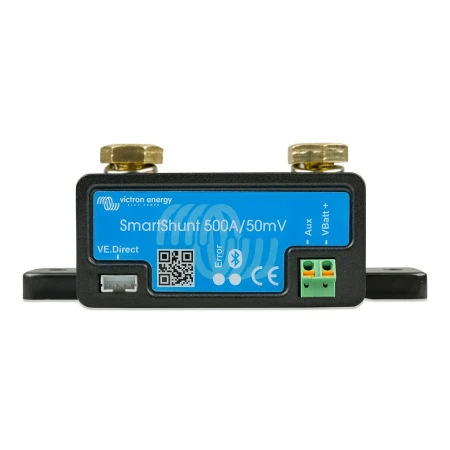 Victron SmartShunt Battery Monitor →Shows battery voltage on your phone, so you spot overcharging early.
STEP 6
Check the wiring to the board
Turn off all power and disconnect the supply at the back. Remove the back cover and find the inverter board on the compressor. Check continuity from each supply lead to its terminal on the board, both 12V+ and 12V−.
Is there continuity on both?
Repair the broken circuit
A wire or connection between the power leads and the board is open, or the fuse is bad. Repair the wiring, or replace the unit if it can’t be repaired.
STEP 7
Check the polarity
Reconnect power and measure at the fridge’s connection again, red probe on the red wire.
Does the meter show a minus sign (reversed polarity)?
Swap the connections
The supply is wired backward. Reverse the two power wires at the fridge.
STEP 8
Check for a short
Turn off all power and disconnect the supply. Check continuity between each pair of supply leads: red (12V+) to white (12V−), red to green (ground), and white to green.
Is there continuity on any pair?
Find the pinched wire
Something inside is shorted, usually a pinched supply, inverter or compressor wire. Disconnect sections and retest until the continuity goes away; that’s where it is. Repair or replace that wire.
No power fault found
Power is reaching the fridge correctly. Go to Compressor Won’t Run.
Still stuck? ask a tech with your model, serial number and the readings you got. We’ll confirm the part before you order.
Covers the Furrion Arctic 8 and 10 cu ft 12V refrigerators (FCR08DCGTA and FCR10DCGTA). Based on the Furrion Arctic 8 & 10 Troubleshooting and Service Manual (CCD-0008122), Section 1: no power.